
Alan · 2026-11-03
Small Orders, Multiple Designs
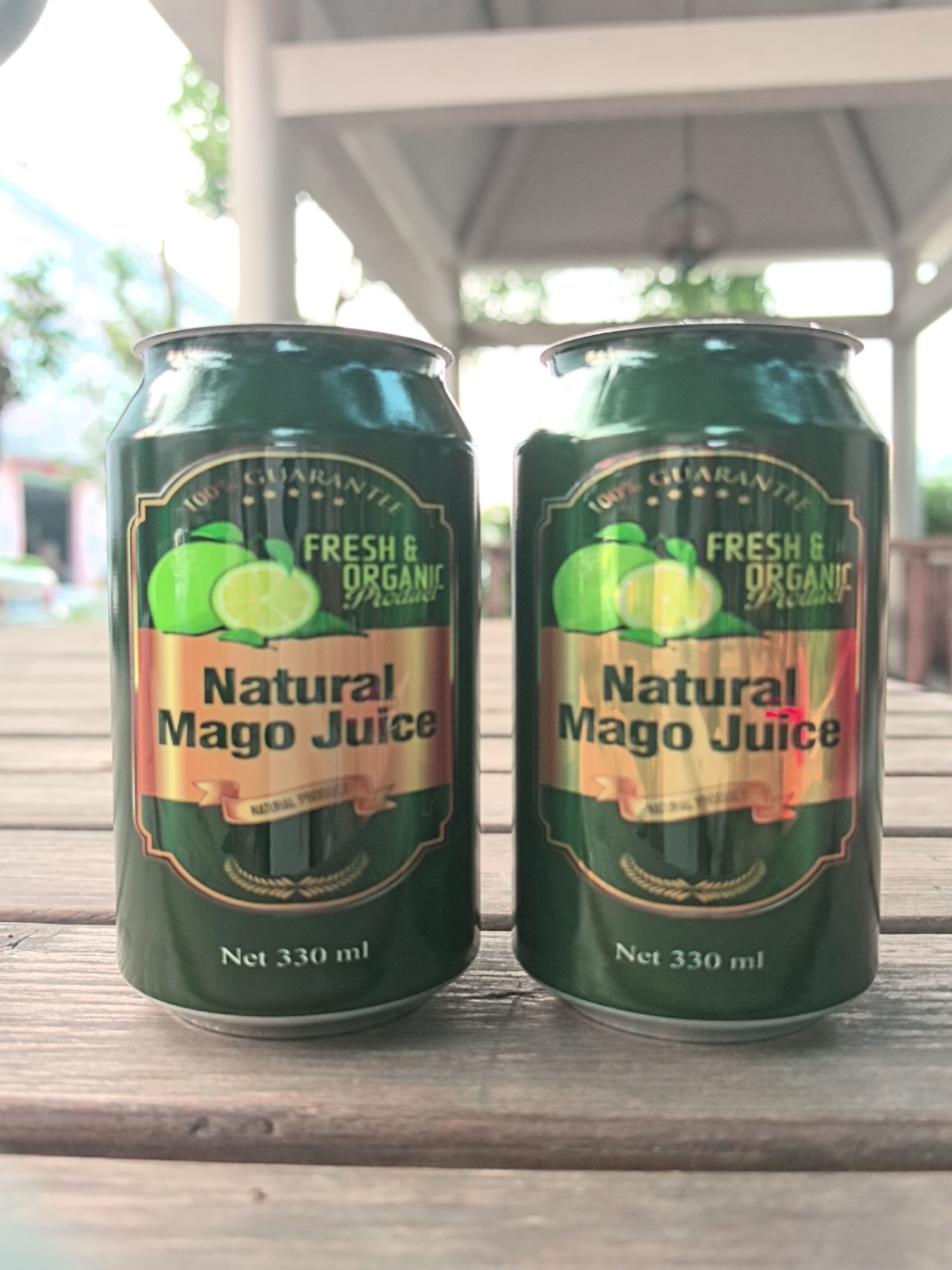
Aluminum beverage can projects often involve several designs in small quantities. A beverage brand may need different artwork for each flavor, while a promotional packaging supplier may handle short orders for several customers.
For these projects, flexibility matters alongside printing speed. Artwork preparation, design changes, sample approval and product handling all affect the cost of completing an order.
The Deeprint DH2 UV Cylinder Printer can be evaluated for direct digital printing on compatible aluminum beverage cans.
Who Is This Application For?
- Independent beverage brands developing new packaging designs.
- Craft beverage businesses exploring seasonal or limited editions.
- Promotional suppliers producing customized cans for events.
- Printing shops handling small orders with different logos.
- Packaging designers preparing physical samples for approval.
These customers share a common requirement: multiple designs without committing to a large quantity of each version.
Digital Artwork Changes for Short Runs
Digital UV printing allows artwork changes without making a separate printing screen for each design.
For example, an order might include five designs with 40 cans per design. When all designs use the same can format, keeping the fixture setup consistent while changing the print file can simplify preparation between versions.
Each artwork still needs checking, and a printed sample should be approved before continuing.
The quantities above are illustrative, not a minimum order requirement.
Color, White Ink and Varnish
The DH2 uses Ricoh GH2220 printheads. Its six-printhead configuration combines CMYK, white ink and varnish.
Full-Color Graphics
Print colorful logos, illustrations and detailed artwork on compatible can surfaces.
White Ink Underlayers
A white base layer can help colors stand out on suitable metallic or colored surfaces. The appearance should be checked on the actual can.
Varnish Accents
Varnish can add glossy accents to selected design elements. Results depend on the surface, artwork, ink settings and curing conditions.
Review the Actual Aluminum Can
Can dimensions, coatings, thin walls, shoulders and rims can affect holding and printing.
Before recommending a setup, Deeprint reviews:
- Can diameter and overall height.
- Available straight-wall printing area.
- Material and existing surface coating.
- Suitable gripping and rotation points.
- Whether the cans will be printed empty or filled.
- Required artwork coverage and finish.
The DH2 has a standard printing diameter of 45–120 mm and a maximum print height of 270 mm.
These specifications are an initial reference. Fixture compatibility and the usable printing area must be assessed against the actual sample.
A Workflow for Multiple Small Orders
1. Group Jobs by Can Format
Where possible, group designs using the same can dimensions and surface finish to reduce product setup changes.
2. Prepare Each Design
Check artwork dimensions, orientation, white ink areas and any varnish effects. Clearly identify the quantity required for each version.
3. Approve a Printed Sample
Review positioning, color, coverage and finish on the actual can before producing the remaining pieces.
4. Print and Inspect
The DH2 uses manual loading and unloading. Keep design versions separated and inspect the output during each short run.
5. Keep Repeat-Order Records
Retain approved artwork and relevant setup information. Recheck samples if the can supplier, coating or artwork changes.
Evaluate the Complete Production Process
For small orders, compare total time and cost per completed order, including:
- Artwork preparation.
- Fixture setup.
- First-sample approval.
- Manual loading and unloading.
- Printing and inspection.
The DH2’s listed printing speed is 30 seconds per piece. Actual output depends on the product, artwork, coverage, print settings and handling.
Test Before Commercial Production
Evaluate adhesion and the conditions the finished can will encounter, including handling, condensation, refrigeration or abrasion where relevant.
Any applicable beverage-packaging requirements should be reviewed for the intended use. Exterior printing alone does not establish food-contact suitability.
Discuss Your Can Printing Project
Need several aluminum beverage can designs in small quantities?
Send Deeprint your can photos, dimensions, coating information, artwork, number of designs and quantity per design.
Our team can review the samples and discuss whether the DH2 is suitable for your application.
Explore the DH2 UV Cylinder Printer
Contact Deeprint about your can printing project
aluminum beverage can printing